

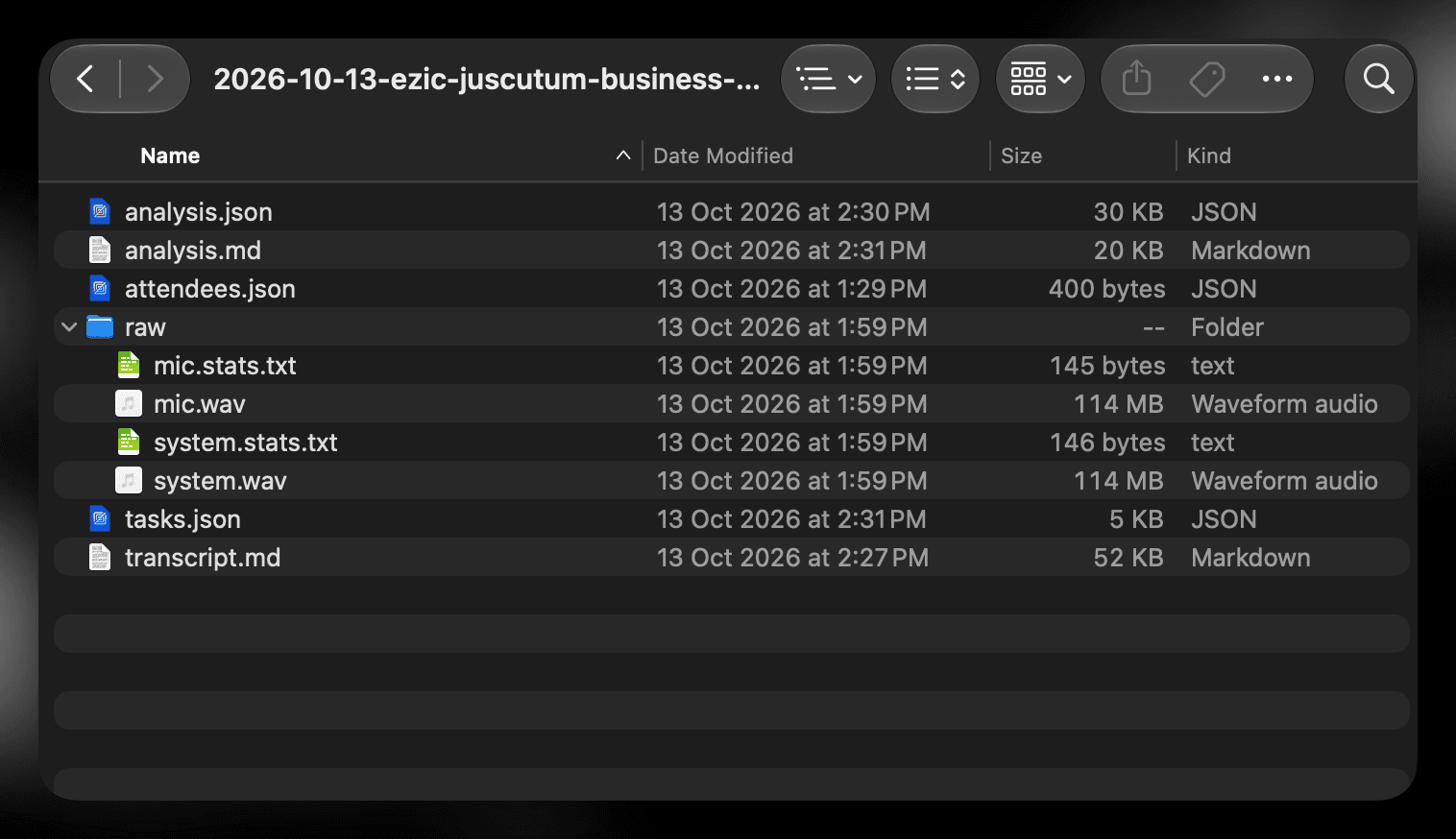
Files on your Mac
Meeting = folder;
application data = files on your device.
Records on its own, writes a report that reads between the lines, and briefs you before the next meeting. All data stays on your device.
Notarius is for people who run their company on calls. Each call ends in a report you can act on. Five things make that work.
Fig. I
Report sections are blocks. A client call, a 1-1 and an interview each get a different set.
Fig. II
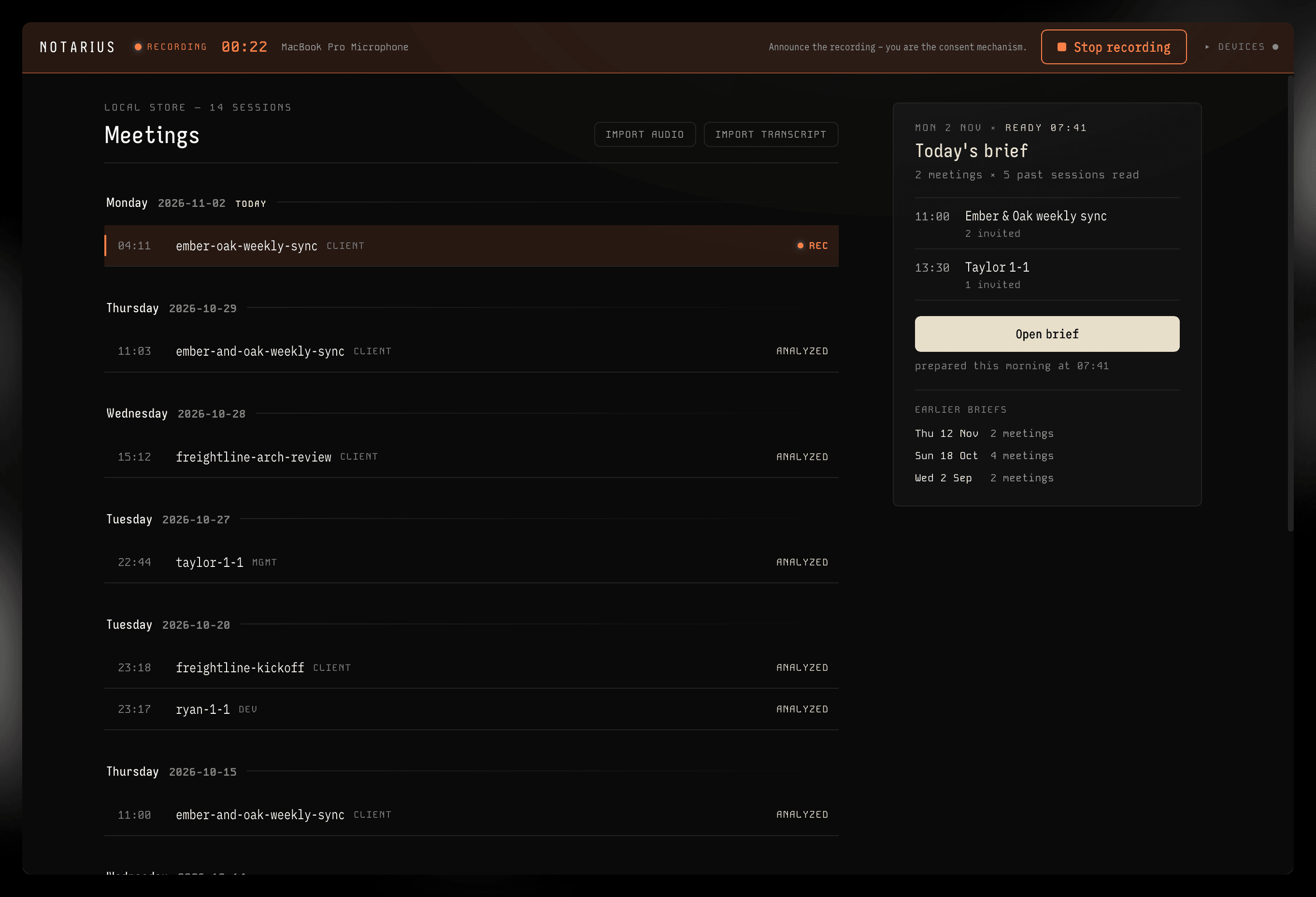
It runs in the background through every meeting, and the reports just appear.
Fig. III
Language is detected per sentence.
Fig. IV
Local models, data is stored on your file system.
Fig. V
A name or a decision comes up in a chat. Claude finds the meeting and answers from it.
Every section is built for one kind of meeting, so a client call, a 1-1 and an interview each come back in a different shape.
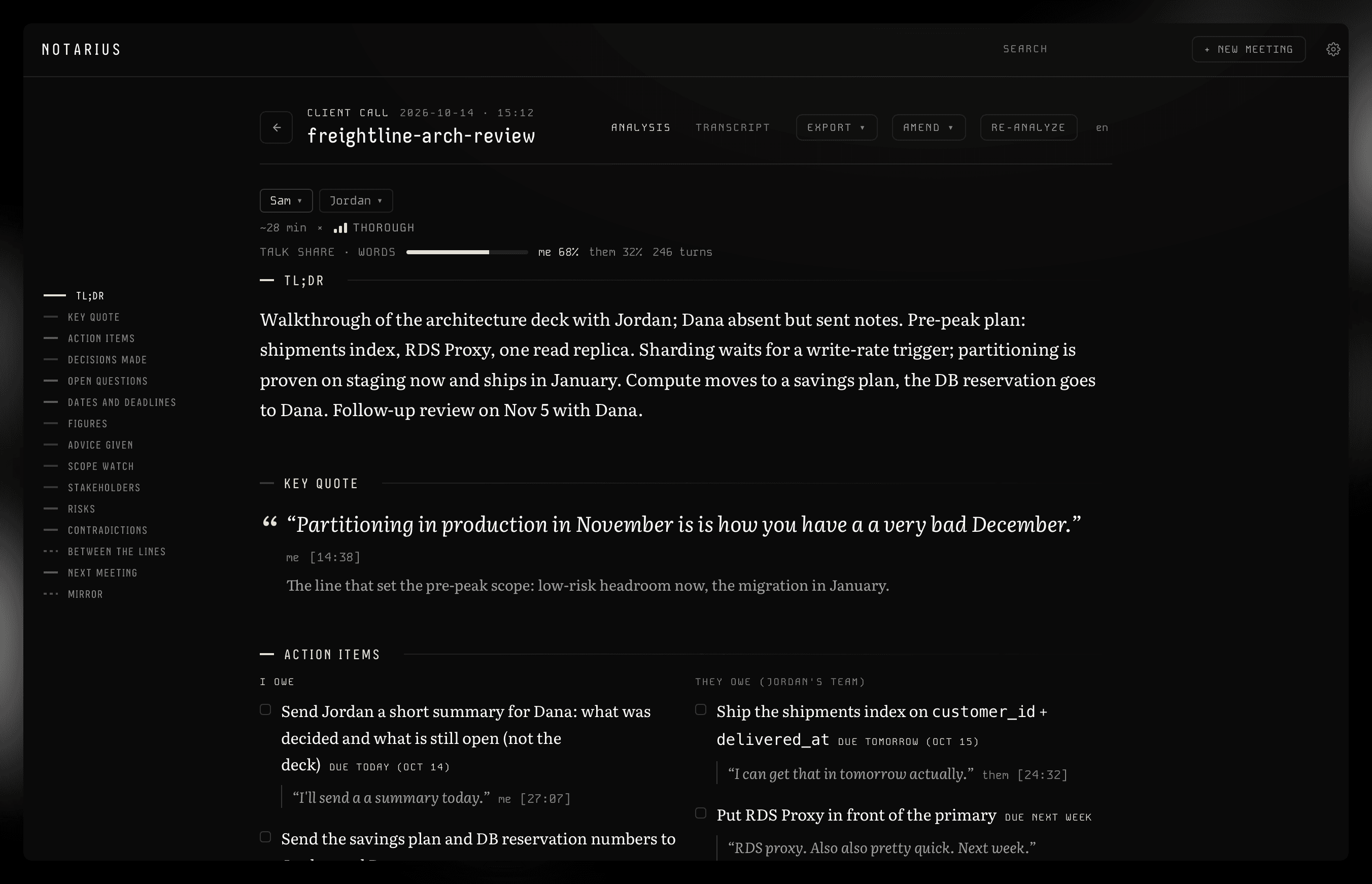
TL;DR, key quote, action items. The report of a client call opened at the top: the meeting header with its participants and talk share, the TL;DR, a key quote with its timestamp, and action items split into what I owe and what they owe.
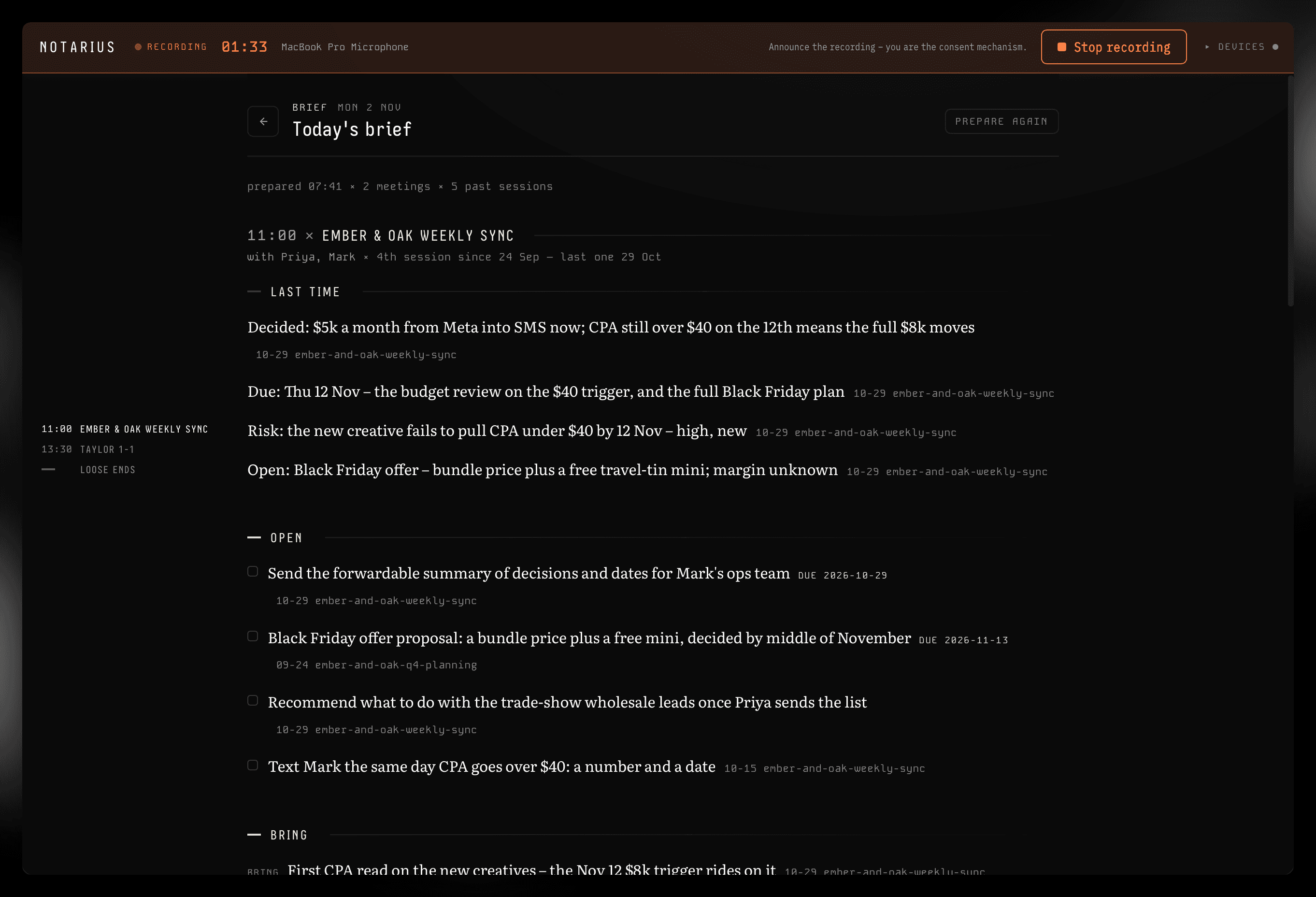
Big decisions get written down. The small one, from the Tuesday call, is the one someone is now waiting on. You find out when they ask.
Most notetakers give you a flat summary. The small promise is the first thing a summary drops. It costs you three times.
Walking into a call hoping you remember what you agreed last time.
The detail everyone agreed on, which only one side wrote down.
The one that cools when a promise slips and nobody can say why.
The usual way to lose a call is to forget to press record. Auto-pilot removes that step. When a call begins in another app, Notarius notices, counts down, records, and stops when the call ends. Including the calls that started from a Slack message, without a calendar.
Every call becomes a report you can check.
Decisions, who owes what, dates and quotes. The sections fit the kind of meeting it was.
Files on your Mac
Your own Claude plan
Most notetakers say “private” and mean “encrypted on our servers.”
We take it a step further – there is simply no server! Only your Claude connection.
Check the Privacy Policy for more details.
Yes. Always let the people on the call know before you record or transcribe them. Notarius does not announce itself: no bot joins, nothing appears in the call. So the telling is on you. In some US states everyone on the call has to agree. Check the rule where you are and where they are.
For the report, yes. Analysis runs through Claude Code signed in to your own Claude account, so there is no AI fee from us and no API key to look after. Without it you can still record, transcribe, search and export. You will not get the report.
That is the point. Notarius notices when another app takes the microphone, so a call that started from a Slack message gets caught too. By default it only sends a notification. Turn on auto-pilot and it starts recording after a countdown you can cancel.
Yes, through the Mac’s microphone. Everyone in the room is on one track, so the report tells speakers apart by what they said. Lid closed and docked works too: it picks the microphone closest to you.
Today you can bring in Google Meet transcripts and any audio file, and they become meetings like the rest. An importer for the Granola, Fireflies and Fathom exports is on the build list and not shipped yet. Your Notarius meetings are plain Markdown and JSON in one folder.
Apple-silicon Macs. No Windows, mobile or web version. Transcription runs on the Mac and takes a few minutes per meeting, longer on older machines. English, Ukrainian, Russian, Spanish, German, Portuguese, Italian, Polish, Japanese, Korean and Catalan. Speakers can switch language inside one sentence.
It is an alpha. Things break. When they do, the log is one click away to send, and we answer the mail.
Notarius is in an invite-only alpha. Ask for a key and you get a direct line to the people building it.
Enter it to download the current build. We hand out keys one by one. One key activates one Mac.
[alpha] 0.2.24 × Argentum
Notice
Notarius is pre-release software, provided as is. Where local law requires consent to record a conversation, obtaining it is your responsibility.